Section 2 – Classification and labelling
This section records how the substance is classified and labelled for physical, human health and environmental hazards.
The classification and labelling information you enter in IUCLID (Section 2) is generally the same for all certificate application types
You must classify your chemical according to the Globally Harmonised System (GHS) and provide the relevant hazard information. This information is required for all application types and supports the assessment of risks to human health and the environment.
See Types of assessment applications and information required in the Guide to applying for an assessment certificate for a summary of information required for this section.
Section 2.1 – GHS
Create one document for each GHS record.
A GHS classification record includes all hazard endpoints for a substance or composition. You may need more than one record where classifications differ (for example, for different compositions such as UVCBs).
Use a clear and descriptive document name, including concentration, where relevant. For example, GHS classification of substance with more than or equal to 1% concentration.
You can flag CBI and restrict regulatory use (by jurisdiction) for each document.
Complete information under the following headings:
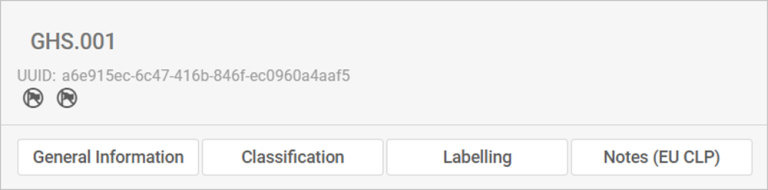
General information
- Enter the chemical name as it appears on the record, such as the name used in a safety data sheet.
- Select the Not classified checkbox if your substance is not classified.
- Under Implementation select the relevant jurisdictions for the classification. Link the classification to the relevant composition under Section 1.2 Composition.
- Under Type of classification, select whether classification is harmonised (GHS) or self-classification (by the manufacturer or importer).
- Use a descriptive name for the substance (including concentration where relevant).
- Create a different document for each distinct classification.
Classification
- You will find a long list of hazard endpoints covering physical, human health and environmental hazards.
- Review all endpoints and classify those that are relevant by completing the Hazard category and Hazard statement.
These fields must match – so the right hazard statement goes with the right category.
Important: Data lacking is selected by default under Reason for no classification, which deactivates Hazard category and Hazard statement. This setup reflects the reality that most of these hazard endpoints lack sufficient data for classification.
Remove Data lacking in Reason for no classification to activate these fields.- Some endpoints under human health hazard also require you to indicate the specific effect and route of exposure.
- If you have information on specific target organ toxicity, single or repeated exposure, you can report this using repeatable tables.
- You can also provide information on specific concentration limits for environmental hazards, the ozone layer and other additional hazard classes.
Labelling
Complete all labelling fields, including:
- GHS hazard statements
- Additional non-GHS hazard statements (if applicable).
Notes
Use this field to provide additional context or explanations.