
Choose from 5 options:
Use this section to help you navigate IUCLID and understand what the common field types are. You can use information on this page alongside the instructions in each section of this guide.
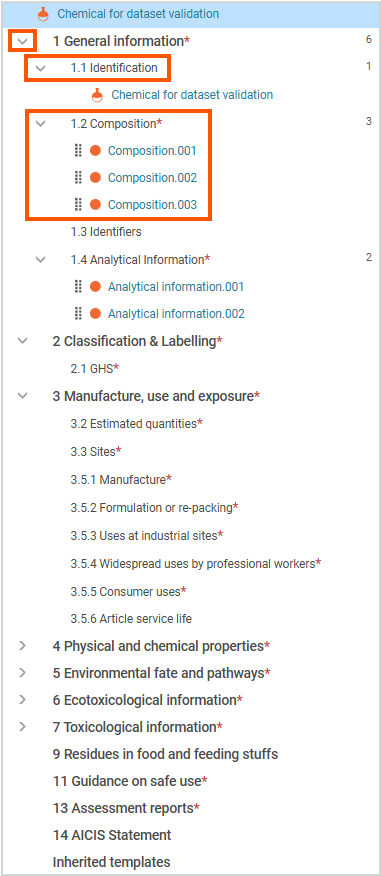
IUCLID organises information into:
To enter information in IUCLID, open a document and complete its fields.
The sections and documents available depend on the AICIS working context you selected.
See more detailed information on using the IUCLID interface and navigation published by the European Chemicals Agency (ECHA).
Use these fields to enter simple, unformatted text, such as:
Use this field to provide additional context or explanation. This may include:
Rich text fields allow you to enter formatted and structured content. Use them for:
If you have more than one value or scenario to report, add a separate entry using New item. If only applies, create a single entry.
Use this to report each value or scenario separately. For example:
Each entry represents a separate value or scenario within the same document.
Some sections require multiple levels of information:
Example – Section 3 (Manufacture, use and exposure):
Create a reusable entity if the same information is used in more than one place (for example, a site used in multiple sections).
Repeatable fields (tables) let you add multiple entries within a single document.
Each entry represents a separate value or scenario. For example, multiple results or exposure scenarios.
Select New Item to add each additional entry.
Some fields appear or change depending on your selections.
You can flag some fields as confidential business information (CBI).
See our CBI guidance for requirements and instructions
Each section will remind you to:
IUCLID automatically assigns documents numbers (for example, .001,.002) when you create documents. These system generated numbers reflect the order in which documents are created. You do not need to manage or edit numbering.
Next, tips on managing confidential business information in IUCLID