Choose from 5 options:
This section explains how to establish the identity, ownership, and technical context of your substance in IUCLID for an AICIS assessment certificate application.
The general information you enter in IUCLID (Section 1) are generally the same for all certificate application types.
The information you enter in Sections 1.1 Identification, 1.2 Composition and 1.4 Analytical information defines:
Much of the information is reused or referenced throughout the IUCLID dataset, including in classification, exposure, hazard and confidentiality decisions. It is therefore important that you complete these sections accurately before moving to the next chapters.
Each section builds on the previous one.
For example, reference substances selected in Section 1.1 are reused when reporting constituents in Section 1.2, and analytical data in Section 1.4 should support the compositions described.
Some fields in this section allow you to flag information as CBI. You must provide required justifications.
Some fields cannot be flagged as confidential, such as the substance name as AICIS may use this information for identification or publication purposes.
See our CBI guidance for more information.
This section establishes the identity of your substance and the organisations involved in the application. It is where you enter the key identification details such as the substance name, legal entity, contact details, and how the substance is identified in IUCLID.
The information you enter here forms the basis for other sections of your dataset and is reused throughout the application.
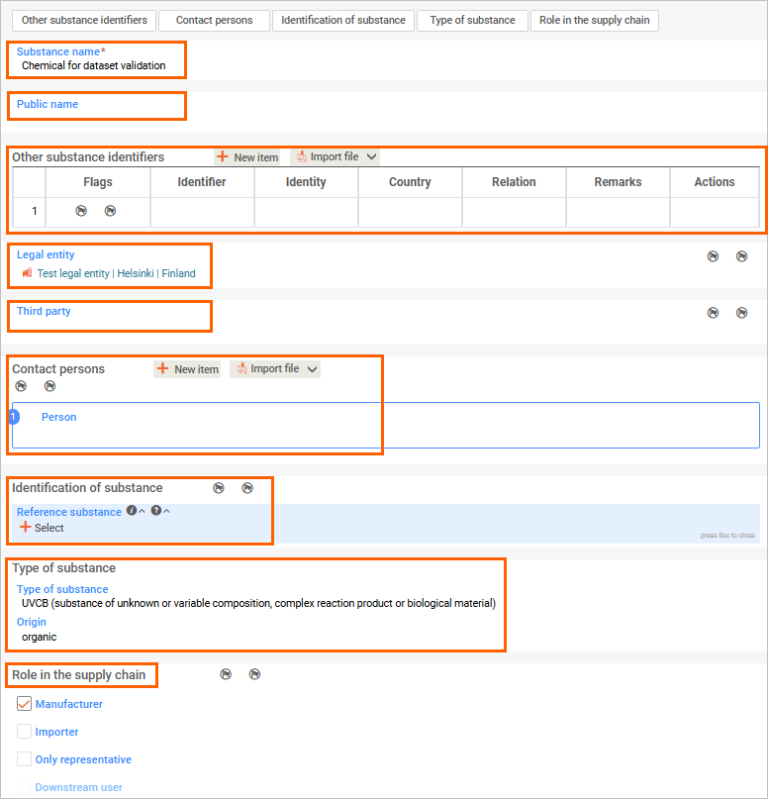
This is a unique name in the IUCLID instance and relates to your application in an AICIS working context. You can link this later to reference substance(s) that identifies the substances to be assessed under Identification of substance below and under 1.2 Composition.
This is the name for publication of the AICIS Assessment Statement. The working legal entity is the legal entity that created the substance dataset or filled in the fields for substance name and legal entity (the 2 mandatory fields in this section).
You can select the legal entity that already exists (created under the inventory manager), or you can create a new one.
Includes agents and chemical data providers acting on behalf of the applicant. When a third-party legal entity is created, associated contact persons can also be recorded.
Select a contact person created under the Inventory manager or create a new one.
You can set a CBI flag for each contact person.
Select from pick lists – for example, mono or multi-constituent, UVCB, polymer, etc) and origin (e.g., element, inorganic, organic, etc).
You cannot flag these as CBI.
The checkbox under this heading is:
Roles in the supply chain can be flagged as CBI.
Note the distinction between an only representative, a downstream user and an importer in IUCLID:
This section describes the composition of your substance. You must provide details of the different compositions (if applicable), including constituents, impurities and additives, and their relative proportions.
Your substance may have one or more compositions (for example, multi-constituent substances or UVCBs).
This information defines what your substance is and supports its identification, classification and assessment throughout your application.
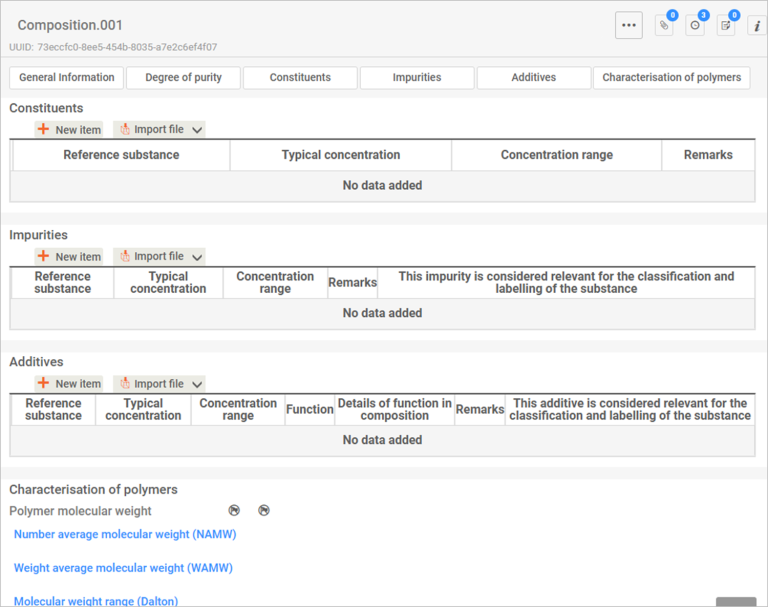
Create a document for each composition (for example, Composition.001).
Complete the General information fields:
If you select solid: nanoform, an additional section for nanoform characterisation will appear. You will be able to flag confidentiality when you get to this stage.
If your substance has more than one composition:
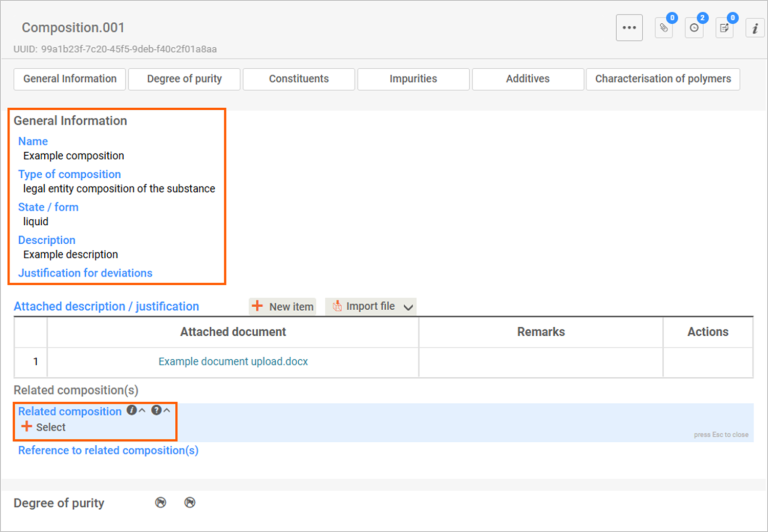
For each composition:
Each composition must include at least one constituent.
To add a constituent:
You should:
You can report unknown impurities by:
If your substance is a polymer, complete the Characterisation of polymers section.
You can flag this information as confidential where appropriate.
Provide identity and percentage of all polymer starting materials.
Provide the percentage residual of each starting material remaining (by weight) following completion of the polymerisation.
Provide the following:
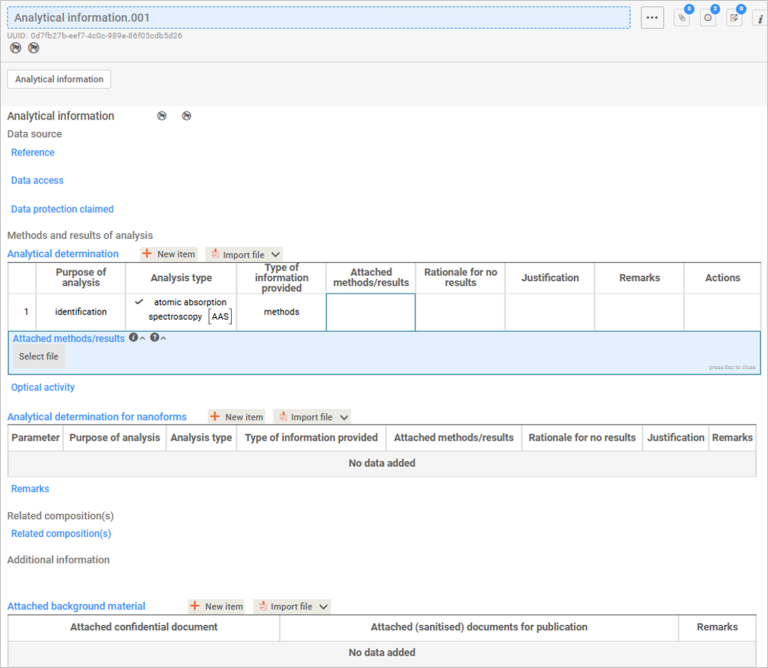
This section provides analytical information to confirm the identity of your substance. You must include the methods and results used to characterise the substance.
This information supports and verifies the composition described in Section 1.2.
You can link a composition (created in Section 1.2 Composition) to this field.
If you are introducing a chemical with multiple compositions, create one analytical information document for each chemical composition.